The best headphones for work depend on whether your day calls for clear meeting audio, a quieter focus space, or awareness of people around you. These picks include dedicated call headsets and everyday headphones, with battery life, device switching, fit, and wired options helping narrow the choice.
Quick Top Products
SHOKZ OpenComm2
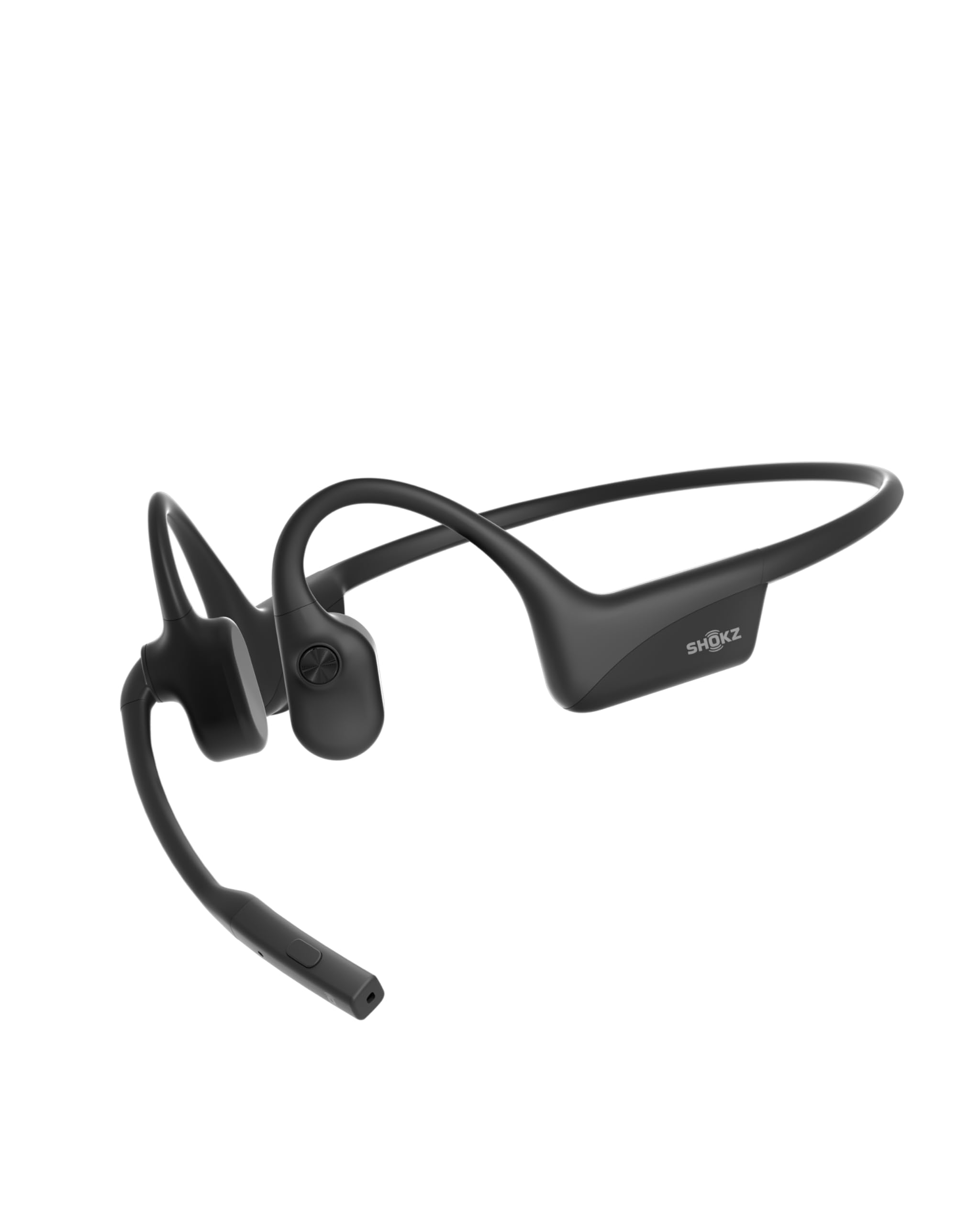
- Noise-canceling microphone with DSP supports work calls.
- Multipoint pairs with two devices simultaneously.
- Up to 16 hours of talk time per charge.
Best For: People who spend much of the workday on calls and want an open-ear fit.

JLab Go Work

- Dual microphones support calls and reduce surrounding sound.
- Red LED shows when mute is on.
- Connects to two devices simultaneously.
Best For: Remote workers who want a boom microphone, visible mute status, and wired or wireless use.
TREBLAB Z2
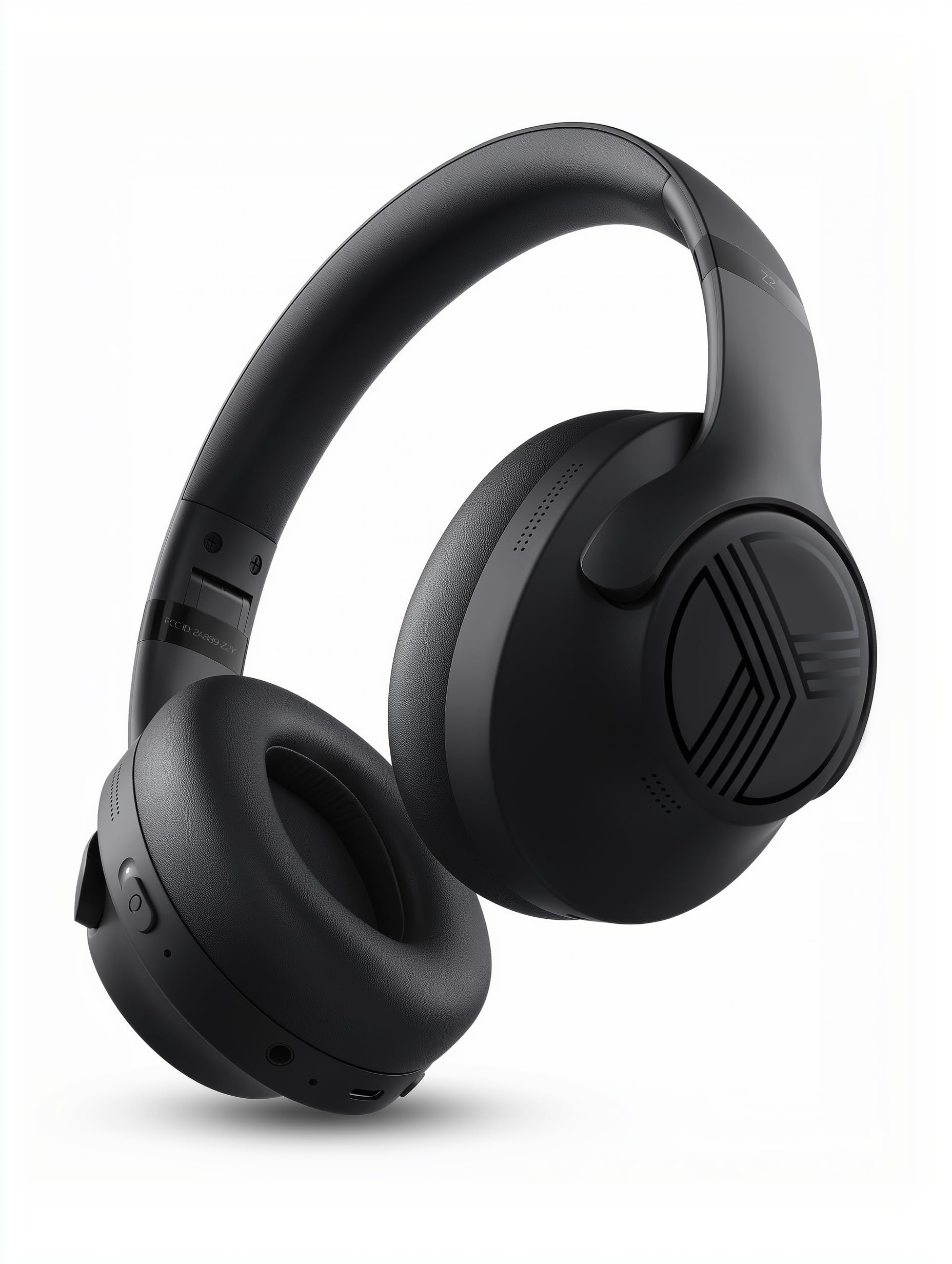
- Hybrid ANC is designed to reduce office chatter.
- Multipoint connects a phone and laptop together.
- 58-hour playtime and USB-C charging.
Best For: Workers who want over-ear cushions, hybrid ANC, and a long stated battery life.
JLab JBuds Lux ANC
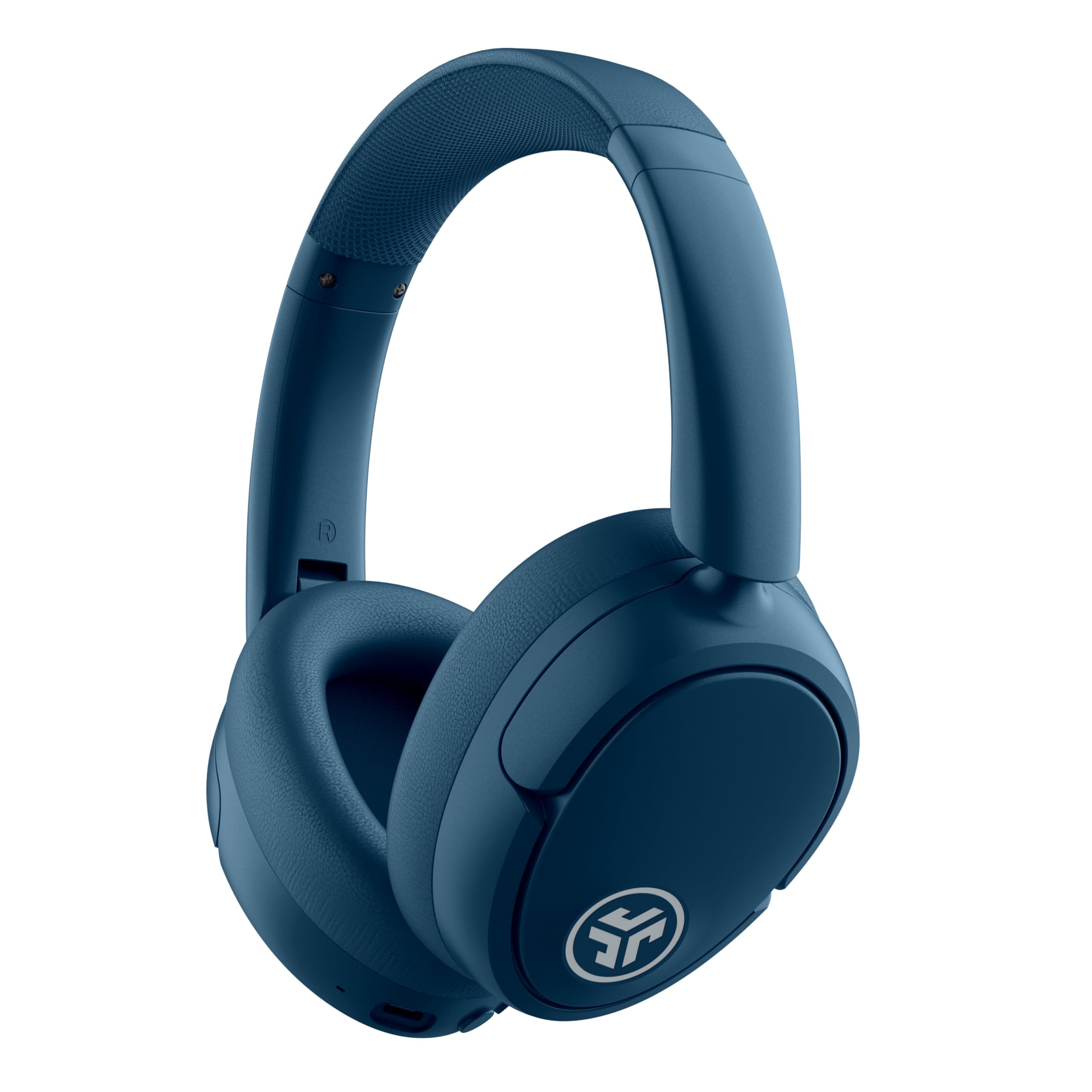
- Hybrid ANC blocks up to 35 dB of noise.
- Multipoint connects two devices simultaneously.
- Cloud Foam cushions long listening sessions.
Best For: Workers who want over-ear ANC and a laptop-phone connection without re-pairing.
SHOKZ OpenFit 2
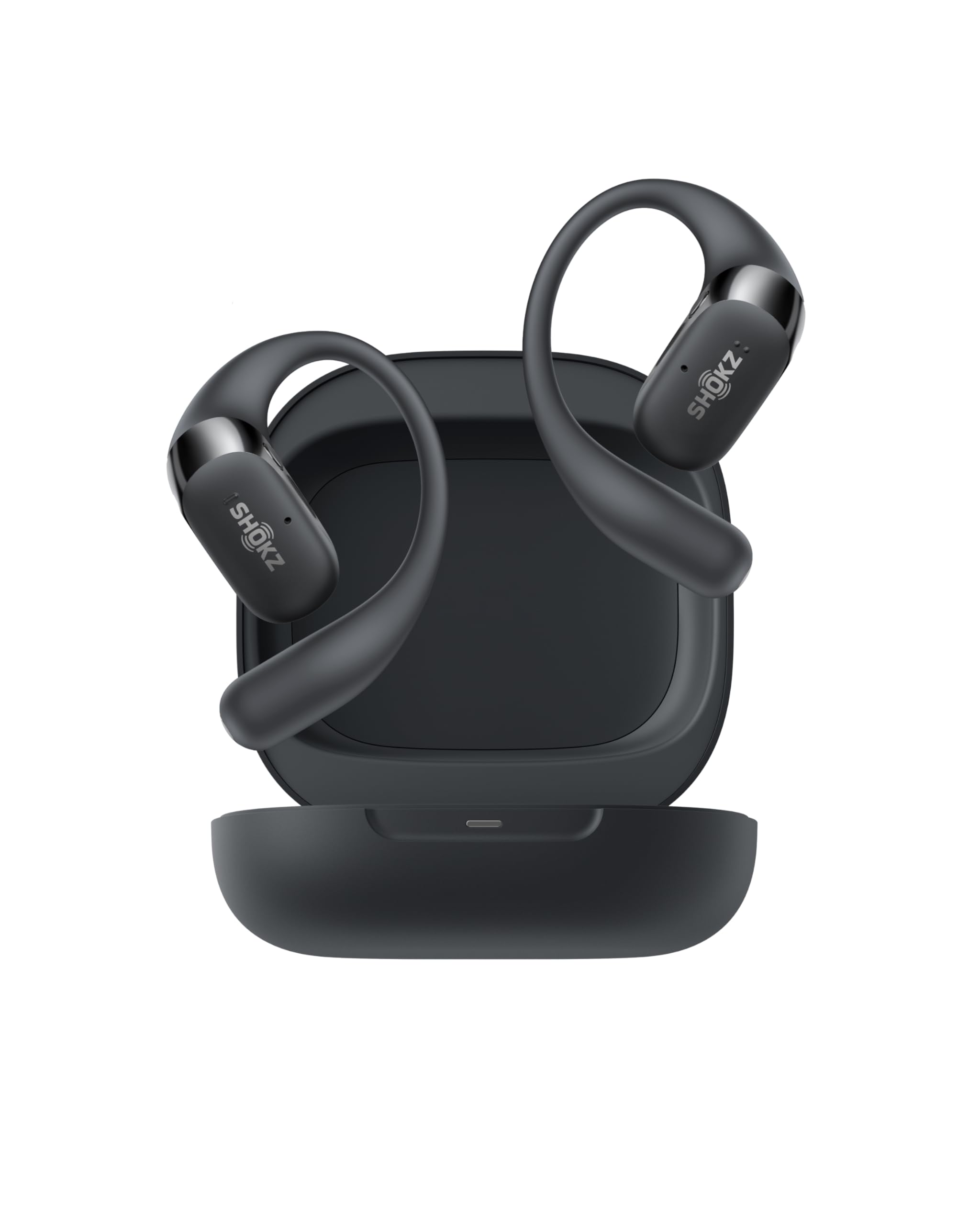
- Open-ear design keeps surroundings audible.
- Dual noise-canceling microphones support phone calls.
- Physical buttons switch between two paired devices.
Best For: Workers who want to hear their surroundings while taking calls and switching between two devices.
SHOKZ OpenFit Air
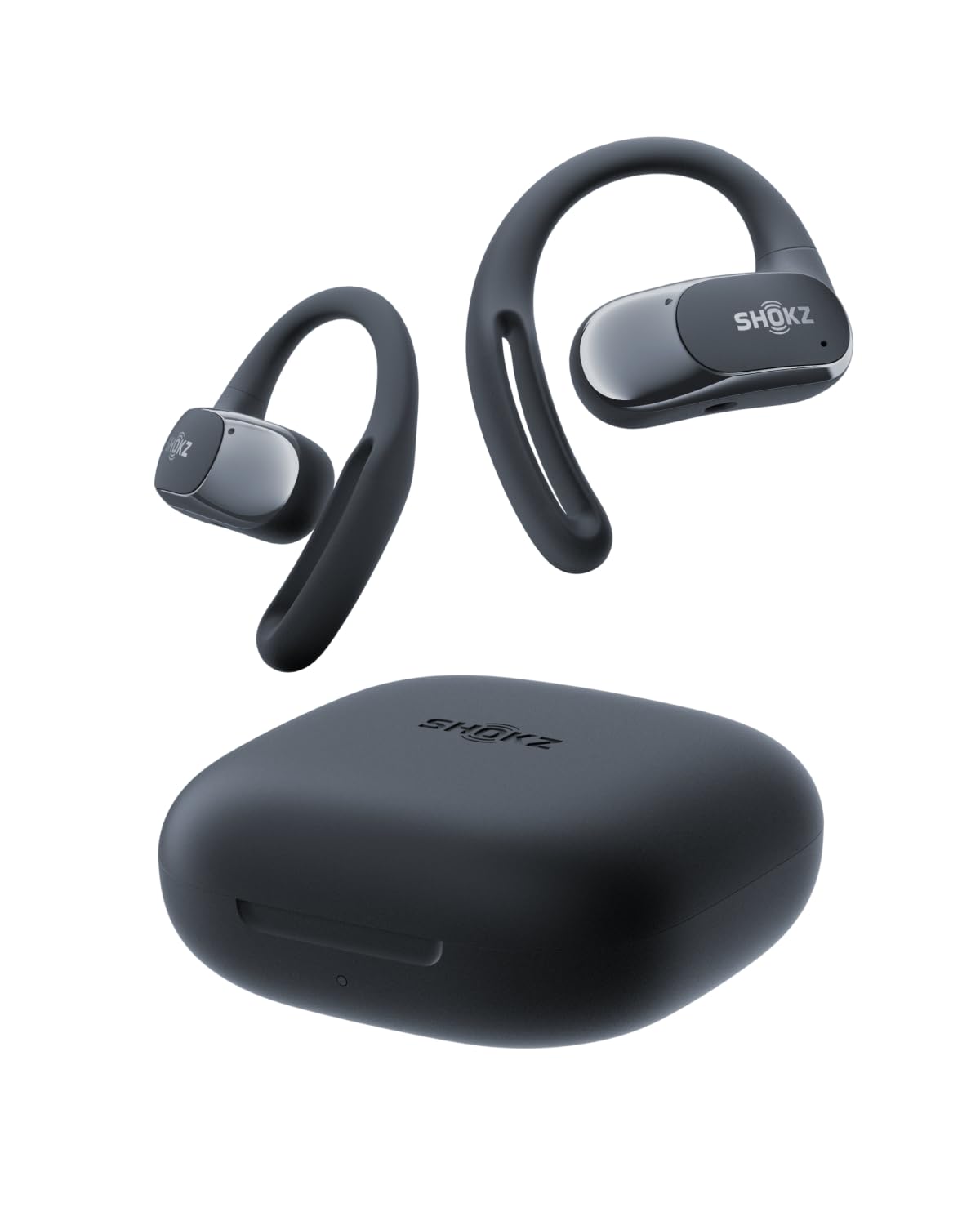
- Multipoint pairs with two devices.
- Four smart microphones support calls.
- Up to 28 hours with the charging case.
Best For: People who prefer open-ear earbuds and need multipoint pairing for phone and laptop.
SteelSeries Arctis Nova Pro Wireless Xbox
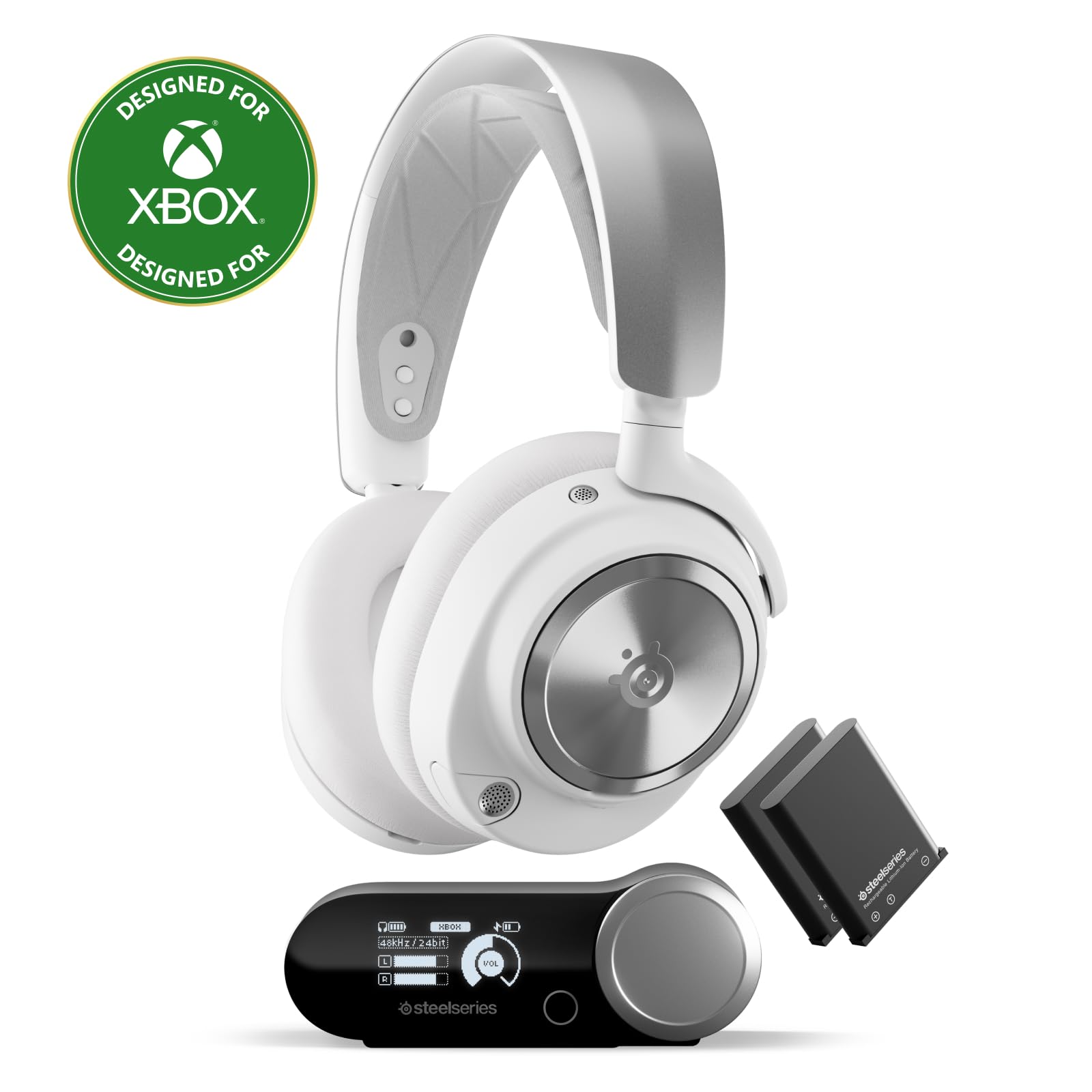
- Connects two systems at once.
- Includes active noise cancellation and Transparency Mode.
- Two hot-swappable batteries reduce downtime.
Best For: People who use the same headset for PC work, calls, and multi-system gaming.
SHOKZ OpenSwim Pro
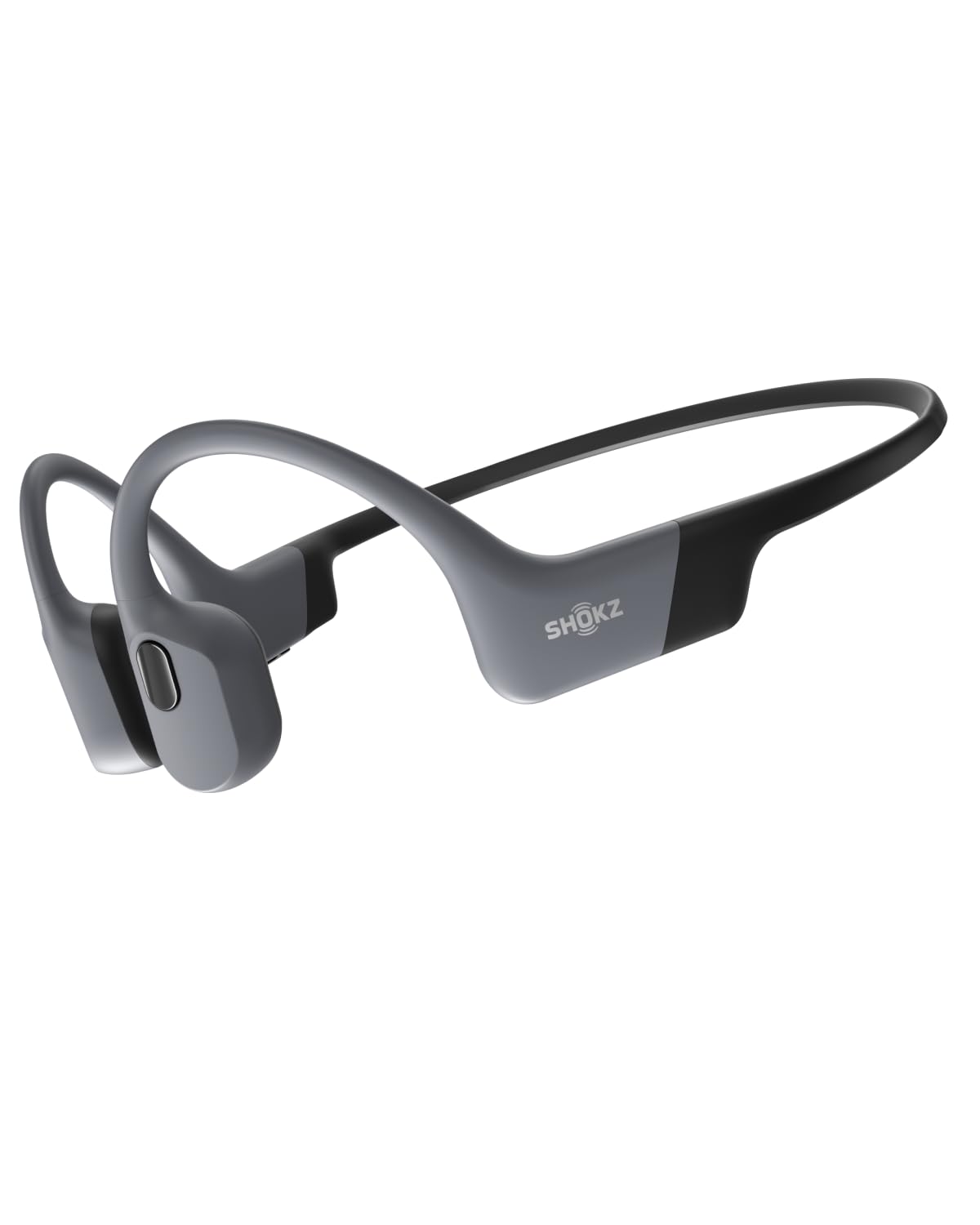
- Bluetooth works on land; MP3 mode supports swimming.
- MP3 mode stores up to 8,000 songs.
- Up to nine hours of continuous battery life.
Best For: Workers who also swim and want offline MP3 playback plus Bluetooth listening on land.
SHOKZ OpenFit

- Open-ear design with a flexible earhook.
- Up to 28 hours with the charging case.
- IP55-rated water resistance.
Best For: People who want open-ear true wireless earbuds with a case for extended listening away from a desk.
JLab Flex Open Earbuds
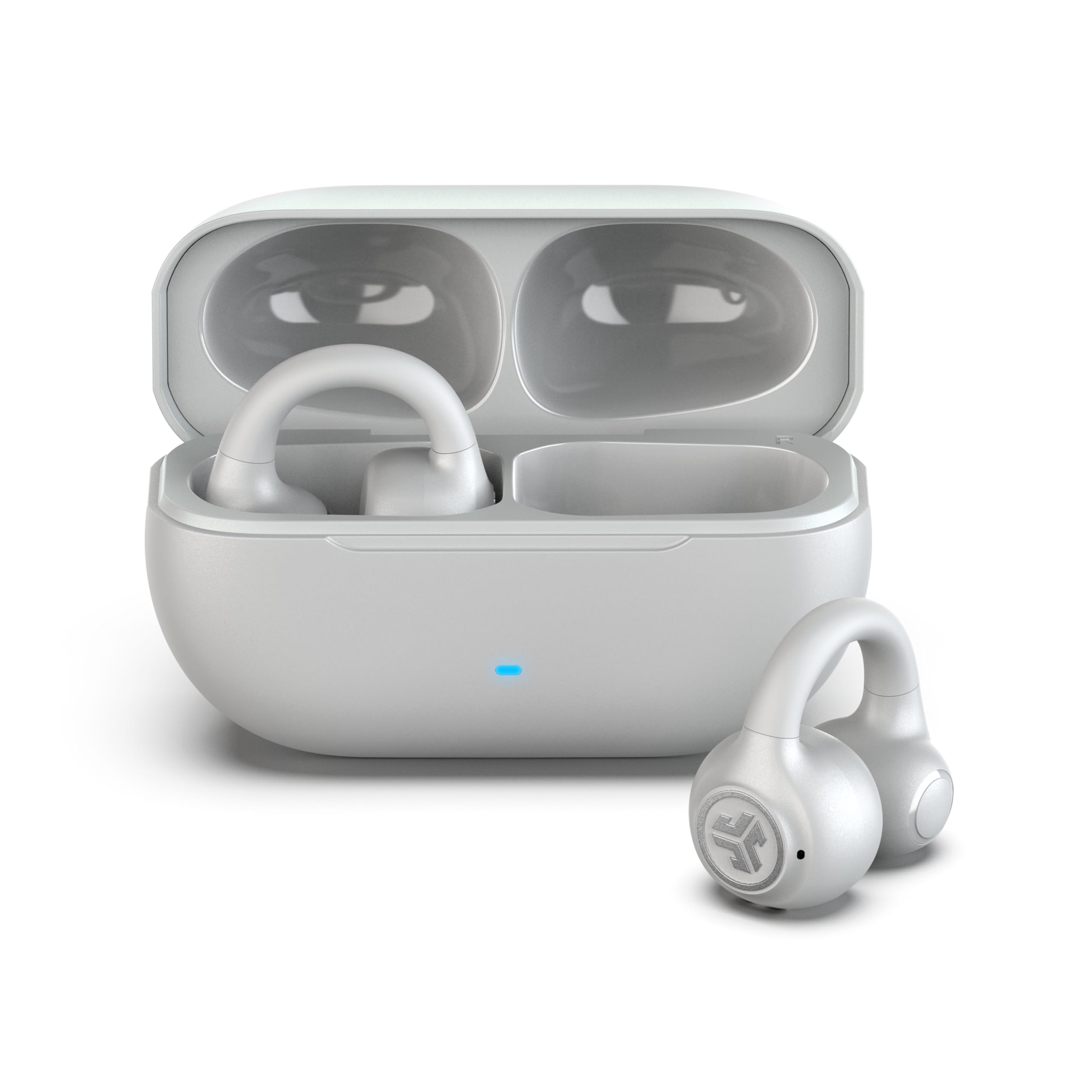
- Clip-on cuff wraps the outer ear without ear tips.
- Multipoint connects two devices simultaneously.
- MEMS noise-canceling microphone supports calls.
Best For: Workers who want a clip-on fit, ambient awareness, multipoint, and app-adjustable controls.
Dedicated Headset for Work Calls
OpenComm2 2025 Upgrade - Open-Ear Bone Conduction Headphones, Wireless Bluetooth Headset with Noise Canceling Mic & Mute Button for Work Calls and Meetings, 16 Hour Talk Time for Mobile & PC - C120
The OpenComm2 is built around calls, with a noise-canceling microphone, DSP technology, and physical buttons for muting and adjusting volume. Its open-ear bone conduction design leaves the ear canal unobstructed, which can suit mobile work when awareness of nearby activity matters.
Multipoint pairing lets it connect to a phone and computer at once, and the battery supports up to 16 hours of talk time or 8 hours of listening per charge. It is a specialist headset rather than a noise-isolating option, so it is best suited to calls in settings where hearing the surroundings is useful.
Best For: People who spend much of the workday on calls and want an open-ear fit.
| Pros | Cons |
|---|---|
|
|
Choose this headset when calls are the main task and switching between a laptop and phone needs to be simple. Its physical mute button and call-oriented microphone are useful for meeting-heavy days, while the open-ear fit keeps nearby conversation audible.
Check that the Bluetooth connection works with your meeting devices and that an open-ear design fits your work environment; it does not provide a closed listening space for blocking office chatter.
Work Headset with Mute Indicator
JLab Go Work Wireless Headsets with Microphone, 45+ Playtime PC Bluetooth Headset and Multipoint Connect to Laptop Computer and Mobile, Wired or Wireless Headphones (1 Pack)
The JLab Go Work puts meeting controls on an on-ear headset: its boom microphone rotates out of the way for listening and back down for calls, and a red LED indicates when mute is on. Bluetooth multipoint can keep a laptop and mobile device connected together, while the included USB-C to 3.5mm cable provides a wired option.
The advertised 45-plus hours of playtime supports long stretches between charges. Its on-ear fit and practical controls make it a work-oriented choice, though the record does not specify a noise-canceling feature for the earcups or microphone beyond the dual-mic call description.
Best For: Remote workers who want a boom microphone, visible mute status, and wired or wireless use.
| Pros | Cons |
|---|---|
|
|
This is a practical option for people who take frequent calls and want a clear physical mute state rather than relying only on software. Its wired cable can help when a wireless connection is inconvenient, and multipoint is useful when a work laptop and phone both need to stay connected.
Before choosing it, check whether an on-ear fit is comfortable for your workday and whether the supported connection works with your computer's available ports.
Long-Battery Over-Ear with Multipoint
TREBLAB Z2 Wireless Over Ear Headphones Bluetooth, Hybrid ANC, 58H | IPX4 Sweatproof, Foldable with Case, Multipoint BT 5.3, Gaming Mode 65ms, 40mm Driver, 2-3H Charge Time
The TREBLAB Z2 combines over-ear cushions with hybrid active noise cancellation, making it a fit for desk work where reducing office chatter is a priority. Bluetooth 5.3 multipoint allows simultaneous connection to a phone and laptop, and a 3.5mm AUX input provides a wired backup.
The product notes give a 58-hour playtime figure and USB-C charging, plus four physical buttons for playback, volume, ANC, and voice assistant controls. It is also foldable and includes a case.
The notes emphasize comfort and noise reduction, but do not give a call-microphone performance detail, so frequent meeting users should check that requirement closely.
Best For: Workers who want over-ear cushions, hybrid ANC, and a long stated battery life.
| Pros | Cons |
|---|---|
|
|
Pick the Z2 if your workday is split between focused listening and switching from laptop audio to phone audio. Hybrid ANC and cushioned over-ear cups address a different need from open-ear call headsets, while the AUX input gives a wired fallback.
The tradeoff is that the supplied details do not explain the microphone's call performance. Check headset compatibility and the controls you need for video meetings before treating it as a dedicated conference headset.
Noise Reduction with Two-Device Switching
JLab JBuds Lux ANC, Over Ear Headphones, Active Noise Cancelling, Bluetooth, Limited Edition Navy
The JBuds Lux ANC is an over-ear option for work that mixes focused listening with calls on more than one device. Its hybrid ANC is rated to block up to 35 dB of noise, and Be Aware mode lets outside sound through when needed.
Bluetooth multipoint connects two devices simultaneously, while Cloud Foam cushions the ears and headband for extended sessions. The product notes give more than 70 hours of total playtime and more than 40 hours in ANC mode.
They also say there is no IP rating, so it is sensible to keep this pair away from sweat or rain rather than assume water resistance.
Best For: Workers who want over-ear ANC and a laptop-phone connection without re-pairing.
| Pros | Cons |
|---|---|
|
|
Choose these when noise reduction and switching between work and personal devices matter more than a dedicated boom microphone. The ANC and Be Aware modes offer different listening approaches, and the long stated battery life reduces charging frequency.
The notes do not describe a boom mic or a specific meeting-focused microphone system, so confirm that its built-in mic meets your call needs. Avoid relying on it for sweaty commutes because the notes explicitly say it has no water rating.
Open-Ear Earhooks with Physical Controls
SHOKZ OpenFit 2 Open-Ear Headphones,True Wireless Bluetooth Earphones with Microphone,Earhook Earbuds with 48 Hours of Playtime,Fast Charging,IP55 Water-Resistant,with Carrying Bag,Black,Bluetooth5.4
The OpenFit 2 uses open-ear earhooks, allowing ambient sound to remain part of the workday instead of sealing off the ear canal. Dual noise-canceling microphones support calls, and physical multifunction buttons handle volume, track changes, calls, and switching between two paired devices.
Its battery is rated for up to 11 hours per charge and up to 48 hours with the case. This is a true wireless earbud style rather than a boom-mic headset, so it may suit flexible, mobile work better than formal call-heavy setups that benefit from a microphone positioned close to the mouth.
The IP55 rating adds water resistance for active use.
Best For: Workers who want to hear their surroundings while taking calls and switching between two devices.
| Pros | Cons |
|---|---|
|
|
The OpenFit 2 fits workers who want a more open listening experience and still need call support and device switching. The physical buttons make routine controls accessible without relying only on touch, and the charging case extends the stated total listening time.
If meetings dominate the day, compare its built-in microphones with the dedicated boom microphones in the OpenComm2 or Go Work. Confirm that an earhook design is comfortable for your ears before relying on it through long sessions.
Compact Open-Ear Multipoint Earbuds
SHOKZ OpenFit Air - Open-Ear Headphones, True Wireless Earbuds, Water Resistant, Secure Earhooks for Daily Use, Black
The OpenFit Air keeps ears open with a lightweight earhook design and supports multipoint pairing with two devices. Four smart microphones, app-adjustable EQ, and up to six hours of listening per charge make it suitable for shorter meeting blocks and general desk listening.
With the case, total battery life reaches up to 28 hours, and a quick 10-minute charge provides two hours of listening. IP54 water resistance gives it some protection for daily movement.
It is less call-specialized than a headset with a boom mic, and the single-charge runtime is a more important limit for uninterrupted work than the case total.
Best For: People who prefer open-ear earbuds and need multipoint pairing for phone and laptop.
| Pros | Cons |
|---|---|
|
|
Pick the OpenFit Air if you want open-ear comfort with multipoint convenience and do not need a traditional over-ear headset. Its case helps extend use across the day, though the earbuds themselves are rated for up to six hours before returning to the case.
Check how often you can recharge during a workday and whether the open-ear style gives you enough call clarity in your environment. Its four microphones and app controls support calls, but no boom mic is described.
Gaming Headset for Work and Play
SteelSeries Arctis Nova Pro Wireless Xbox Multi-System Gaming Headset - Neodymium Magnetic Drivers - Active Noise Cancellation - Infinity Power System - Xbox, PC, PS5, PS4, Switch, Mobile - White
The Arctis Nova Pro Wireless is a gaming headset that can also serve people who move between work audio and other connected systems. It supports two systems at once, has active noise cancellation with a transparency mode, and can pair to a mobile device over Bluetooth for calls or music.
Two hot-swappable batteries and a base station are designed to keep gaming sessions going without pausing to recharge. Those features are substantial for a mixed-use desk, but the product details center on gaming rather than office conferencing.
Check that its gaming-oriented controls and multi-system setup fit your work software and daily meeting routine.
Best For: People who use the same headset for PC work, calls, and multi-system gaming.
| Pros | Cons |
|---|---|
|
|
This makes sense for someone whose desk is also a gaming setup and who wants one headset to connect across several systems. The base station, swappable batteries, ANC, and Bluetooth mixing offer flexibility beyond a basic office headset.
For a work-first purchase, check whether the microphone and call controls suit your conferencing apps; the supplied details emphasize game audio and system switching rather than workplace voice quality.
Open-Ear Headset for Phone-Free Listening
SHOKZ OpenSwim Pro - Open-Ear Bluetooth & MP3 Bone Conduction Sport Headphones, Swimming Headphones, IP68 Waterproof, Grey
The OpenSwim Pro is a specialized open-ear bone conduction headset for people who need listening across work and swimming routines. It supports Bluetooth for land use and MP3 playback for phone-free listening, with storage for up to 8,000 songs.
Its IP68 rating is described for submersion, but Bluetooth does not work underwater, so swimmers must switch to MP3 mode before entering the water. For ordinary desk work, the 9-hour battery and awareness-focused fit can be useful, though its swimming features may be unnecessary.
It includes physical controls and the Shokz App for switching modes and customizing audio.
Best For: Workers who also swim and want offline MP3 playback plus Bluetooth listening on land.
| Pros | Cons |
|---|---|
|
|
Choose this only if swimming or phone-free listening is part of your routine alongside work. It offers more specialized playback than ordinary work headphones, but the key limitation is operational: Bluetooth streaming is for land use, while swimming requires MP3 mode.
For desk-heavy work, compare it with other call-focused options, which are more directly configured around calls. Check whether its open-ear audio and controls suit your work setup before paying for the added swim capability.
Open-Ear Earbuds with Charging Case
SHOKZ OpenFit-Open-Ear True Wireless Bluetooth Headphones with Microphone,Earbuds with Earhooks,Sweat Resistant,Fast Charging,28HRS Playtime,Compatible with iPhone&Android,Beige,Bluetooth5.2
The OpenFit uses a compact open-ear earbud and flexible earhook rather than a wraparound sport headset. Its design leaves the ears more open to nearby sound, while IP55 water resistance and a snug hook fit support daily movement.
The earbuds provide up to seven hours per charge and up to 28 hours with the charging case; a five-minute quick charge adds an hour. The product also notes clear calls, but does not describe a boom microphone or device multipoint, so check those needs if your workday includes frequent meetings or switching among devices.
Best For: People who want open-ear true wireless earbuds with a case for extended listening away from a desk.
| Pros | Cons |
|---|---|
|
|
This is a fit for people who want open-ear listening in a small true wireless form and value a case that extends total runtime. It can support calls and has water resistance, but the supplied details do not mention simultaneous laptop and phone pairing or a dedicated mute control.
Those omissions matter for meeting-heavy work. Check the call controls and device-switching behavior you need before choosing it over the OpenFit 2 or a dedicated work headset.
Clip-On Open-Ear Buds for Desk and Commute
JLab, Flex, Open Ear Earbuds, Clip On Wireless Bluetooth Earbuds, Open Ear Headphones, Cloud White
The JLab Flex uses a cuff-style clip that sits around the outer ear without ear tips, keeping the ear canal free while providing a lightweight hold. Bluetooth multipoint connects two devices at once, which can help when switching between laptop audio and phone calls.
The product notes give more than seven hours per earbud and more than 21 hours with the charging case. A MEMS noise-canceling microphone supports calls, while the app adds EQ and touch-control customization.
IPX4 covers sweat and light rain, so this design can move from desk to commute, though its open-ear fit will not create the enclosed sound of over-ear ANC headphones.
Best For: Workers who want a clip-on fit, ambient awareness, multipoint, and app-adjustable controls.
| Pros | Cons |
|---|---|
|
|
Choose the Flex if you prefer a clip-on ear fit and want to keep ambient sound present while working. Multipoint and a call microphone make it more work-friendly than a basic music-only earbud, and the charging case adds listening time away from the desk.
Its open-air design has a different purpose from ANC over-ear headphones, so it is a weaker fit for noisy shared spaces when isolation is important. Check touch controls and fit comfort for long sessions.
How to Choose Headphones For Work
How We Picked Headphones for Work
We prioritized candidates with concrete work-use features: call microphones and mute controls, multipoint pairing for laptop and phone, ANC or open-ear awareness, and enough stated battery life for extended listening. The resulting options cover different needs rather than one universal style.
The OpenComm2 and Go Work focus on calls; the Z2 and JBuds Lux ANC emphasize over-ear listening and noise reduction; open-ear models suit people who need to stay aware of nearby activity.
The set also includes a gaming headset with multi-system support and a swim-capable headset with offline playback. Those have narrower workplace appeal, so their specialized features matter most when work shares time with gaming or swimming.
We left out general listening headphones without clear call or work connectivity details, plus school, metal-detecting, duplicate-color, and duplicate-model options.
Comparing Work Headphones
Start with the work setting. In a busy or shared office, over-ear ANC models such as the TREBLAB Z2 and JLab JBuds Lux ANC provide a listening mode designed to reduce noise.
Open-ear options such as the OpenComm2 and OpenFit 2 leave the ear canal open, which can help keep nearby speech audible. That awareness comes with less separation from environmental sound.
For meetings, a boom mic and quick mute control are concrete conveniences. The Go Work has a rotating boom and red mute indicator; the OpenComm2 combines a noise-canceling mic with physical mute buttons.
Earbud-style alternatives have microphones too, but the supplied features do not describe a boom positioned near the mouth. Multipoint helps when a laptop and phone both need a connection, while an AUX cable can provide a wired route on compatible devices.
| Product | Standout features | Best for |
|---|---|---|
| SHOKZ OpenComm2Check Price |
| People who spend much of the workday on calls and want an open-ear fit. |
| JLab Go WorkCheck Price |
| Remote workers who want a boom microphone, visible mute status, and wired or wireless use. |
| TREBLAB Z2Check Price |
| Workers who want over-ear cushions, hybrid ANC, and a long stated battery life. |
| JLab JBuds Lux ANCCheck Price |
| Workers who want over-ear ANC and a laptop-phone connection without re-pairing. |
| SHOKZ OpenFit 2Check Price |
| Workers who want to hear their surroundings while taking calls and switching between two devices. |
| SHOKZ OpenFit AirCheck Price |
| People who prefer open-ear earbuds and need multipoint pairing for phone and laptop. |
| SteelSeries Arctis Nova Pro Wireless XboxCheck Price |
| People who use the same headset for PC work, calls, and multi-system gaming. |
| SHOKZ OpenSwim ProCheck Price |
| Workers who also swim and want offline MP3 playback plus Bluetooth listening on land. |
| SHOKZ OpenFitCheck Price |
| People who want open-ear true wireless earbuds with a case for extended listening away from a desk. |
| JLab Flex Open EarbudsCheck Price |
| Workers who want a clip-on fit, ambient awareness, multipoint, and app-adjustable controls. |
Choosing Noise-Canceling or Open-Ear Headphones
ANC and open-ear listening solve different workplace problems. ANC is a better match when reducing surrounding chatter is central to concentrating, while open-ear designs suit roles where hearing coworkers, alerts, or conversations remains useful.
The JLab JBuds Lux ANC adds a Be Aware mode, and the Z2 includes hybrid ANC and physical ANC controls. Neither set of details establishes the exact amount of quiet in a particular office, so consider the type of noise and how much awareness you need.
Open-ear headsets also vary in how they sit. A wraparound bone conduction frame such as the OpenComm2 differs from earhooks on the OpenFit models and the clip-on JLab Flex.
Fit and comfort are personal; consider whether you prefer a headband, earhook, or cuff before choosing for hours of daily wear.
Battery Life and Device Switching for Office Headphones
Check the runtime that matches your work pattern. A stated total with a charging case includes returning earbuds to the case, while single-charge runtime describes uninterrupted use before that break.
The OpenFit 2 gives up to 11 hours per charge and up to 48 hours with its case; the OpenFit Air gives up to six hours per charge and up to 28 hours total. Over-ear options like the JBuds Lux ANC state more than 70 hours total, with more than 40 hours in ANC mode.
Multipoint pairing can reduce friction between computer meetings and phone calls, but verify that the headset's supported connections match your devices. The Go Work and several SHOKZ and JLab earbuds support two-device pairing.
Wired inputs on the Go Work and Z2 offer another route, though the device still needs a compatible port or adapter.
Who Should Buy Which Work Headphones?
Choose the OpenComm2 or JLab Go Work if calls dominate and physical call controls matter. Pick the JBuds Lux ANC or TREBLAB Z2 if over-ear listening and noise reduction fit your workspace; consider the Z2 when AUX backup is useful.
The OpenFit 2 or JLab Flex suits people who want open-ear awareness with two-device switching, while the OpenFit Air is a smaller open-ear option with shorter single-charge runtime.
The Arctis Nova Pro Wireless is most relevant when gaming and work share the same desk and systems. The OpenSwim Pro makes sense for someone who also wants swimming playback and accepts its Bluetooth-versus-MP3 distinction.
For any frequent meeting setup, check microphone positioning, mute access, device compatibility, and whether the fit stays comfortable over the length of your workday.